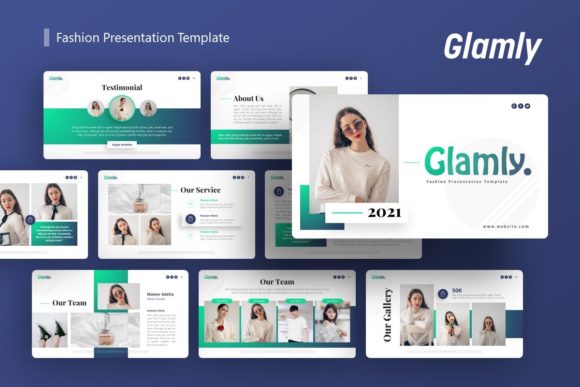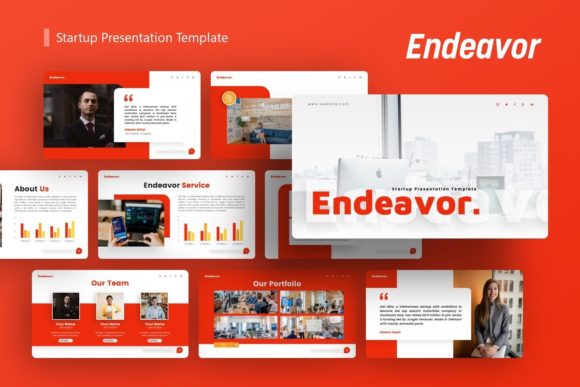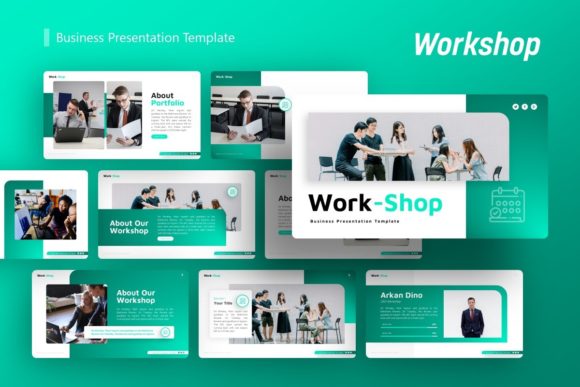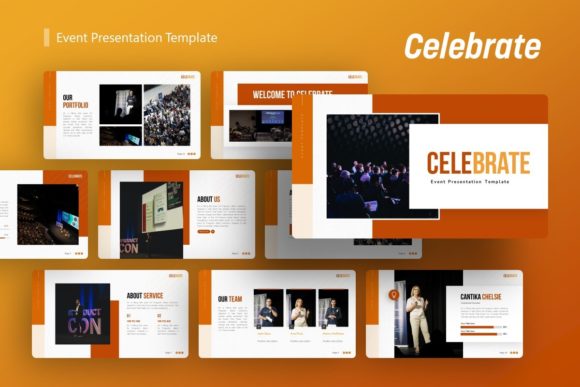
Presentation Template - Fusion: A Versatile Design Tool
Creating a compelling visual narrative often requires balancing aesthetic appeal with functional clarity. Presentation Template - Fusion addresses this balance by offering a comprehensive design framework suitable for diverse communication needs. Rather than being limited to a single industry or style, this template serves as a flexible foundation for creative agencies, corporate profiles, startups, photographers, and personal portfolios. It provides a structured yet adaptable environment where users can convey complex information through clean, modern visuals without starting from a blank canvas.
Understanding the Core Features
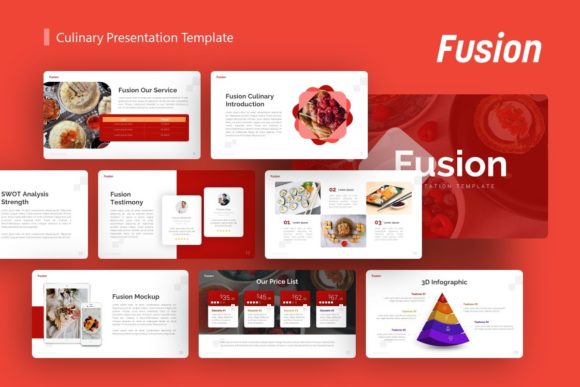
At its technical heart, Presentation Template - Fusion is built to streamline the creation process while maintaining high design standards. The package includes 36 unique slides for each template variation, providing ample room for detailed storytelling without overwhelming the user with unnecessary options. A significant advantage for non-designers is the inclusion of handcrafted infographics directly within PowerPoint. These are not static images but fully editable vector elements based on master slides, ensuring that resizing or modifying graphics does not result in pixelation or loss of quality.
The template utilizes a master slide architecture, which allows for global changes across multiple slides simultaneously. This feature is particularly valuable for maintaining brand consistency throughout a lengthy deck. All graphic elements are resizable and editable, and picture placeholders support drag-and-drop functionality, significantly reducing the time spent on formatting. The included documentation file and vector icon set further enhance usability, ensuring that even those with limited technical expertise can navigate the customization process effectively.
Diverse Applications Across Audiences
The true value of a versatile template lies in how different users adapt it to their specific contexts. While the underlying asset remains the same, the application varies significantly depending on professional goals and skill levels.
For Entrepreneurs and Startups
When pitching to investors or partners, clarity and professionalism are paramount. Founders often possess deep product knowledge but may lack graphic design resources. For this group, Presentation Template - Fusion acts as an immediate credibility booster. The pitch deck layouts are designed to highlight problem-solution dynamics, market size, and financial projections logically. An entrepreneur can focus entirely on refining their business narrative rather than worrying about alignment or color theory. The ability to quickly swap in proprietary data into pre-made infographic slides means that last-minute changes before a meeting do not require a complete redesign.
Creative Agencies and Portfolios
Design professionals face a different challenge: their presentation must demonstrate aesthetic competence while showcasing client work. For agencies and freelancers, the template serves as a neutral but sophisticated frame. The minimalist nature of Fusion ensures that the portfolio pieces remain the focal point rather than competing with overly decorative slide backgrounds. Photographers and artists benefit from the dedicated image placeholders that respect aspect ratios and visual hierarchy. Here, the priority is flexibility; a creative professional might use only ten of the thirty-six slides but will customize fonts and colors extensively to match their personal branding or a specific client’s identity.
Corporate and Business Communication
In established organizations, presentations often serve internal functions such as quarterly reporting, training, or strategic planning. Corporate users prioritize reliability and speed over artistic experimentation. The master slide functionality in Fusion is critical here, as it enforces brand guidelines automatically. Marketing teams can produce consistent collateral across departments, ensuring that a sales deck created in one region matches the visual standards of headquarters. The inclusion of editable vector icons allows businesses to visualize abstract concepts like workflow optimization or organizational structure without licensing external assets.
Educators and Non-Profit Organizations
For educators and community leaders, engagement is the primary metric of success. Dense text slides lose audiences quickly. This template offers visual variety that helps break down complex educational content or impact reports into digestible segments. The handcrafted infographics are particularly useful for explaining processes, statistics, or timelines in a way that retains audience attention. Unlike commercial users who may need to update decks weekly, educators often value long-term usefulness; a well-structured template can be reused semester after semester with minimal adjustments.
Evaluating Priorities and Practical Fit
Determining whether Presentation Template - Fusion aligns with your current project requires an honest assessment of your priorities. Different users weigh factors like ease of use, cost, and creativity differently.
- Ease of Use vs. Customization Depth: Beginners will appreciate the drag-and-drop placeholders and documentation, which lower the barrier to entry. However, advanced users should verify that the master slides allow for the level of structural modification they require. If you intend to overhaul the layout entirely, ensure the template’s architecture supports your workflow rather than restricting it.
- Speed vs. Uniqueness: If your deadline is imminent, the pre-built infographic slides offer unmatched efficiency. Conversely, if your goal is to create a completely bespoke visual identity, treat this template as a starting skeleton rather than a final product. The time saved on basic structure can be reinvested in custom illustration or photography.
- Commercial Value: For freelancers and agencies, the template represents a cost-effective alternative to hiring a dedicated designer for every new proposal. The return on investment is calculated by the hours saved per project multiplied by your hourly rate. For personal users, the value is more subjective, tied to confidence and presentation quality.
- Technical Compatibility: Always confirm that your version of PowerPoint supports all features, particularly vector editing and master slide linking. While the .PPTX format is standard, certain advanced animations or font embeddings may behave differently across software versions or operating systems.
Making an Informed Decision
Presentation Template - Fusion is best suited for users who need a professional baseline but want to retain control over the final output. It bridges the gap between rigid, generic templates and expensive custom design services. If you are a beginner, it provides a safety net that prevents common design mistakes. If you are a professional, it offers a modular kit that accelerates production.
However, it is important to manage expectations regarding included assets. As noted in the product specifications, demo images are for preview purposes only and are not part of the downloadable files. Users must supply their own photography and visual content. This distinction is crucial for planning; you should have your media assets organized before beginning the customization process to avoid bottlenecks.
Ultimately, the effectiveness of this tool depends on how well it integrates into your existing workflow. Whether you are launching a startup, teaching a class, or showcasing a photography portfolio, the template provides the structural integrity needed to communicate effectively. By leveraging the 36-slide library and editable vector elements, you can transform raw information into a polished narrative that resonates with your specific audience, saving time while elevating the quality of your visual communication.